How to list repositories in Bitbucket #
Use case:
I want to maintain repositories in an organization in Bitbucket. To make sure I do not miss newly added ones, I want to use API access to retrieve the list of all repositories in the organization.
Setup #
Bitbucket requires a username and password to access the API. This information is stored in the environment variables
BBUSER and BBPASSWORD. The BBPASSWORD should be an access token / app password defined in the App passwords section
of the user settings:
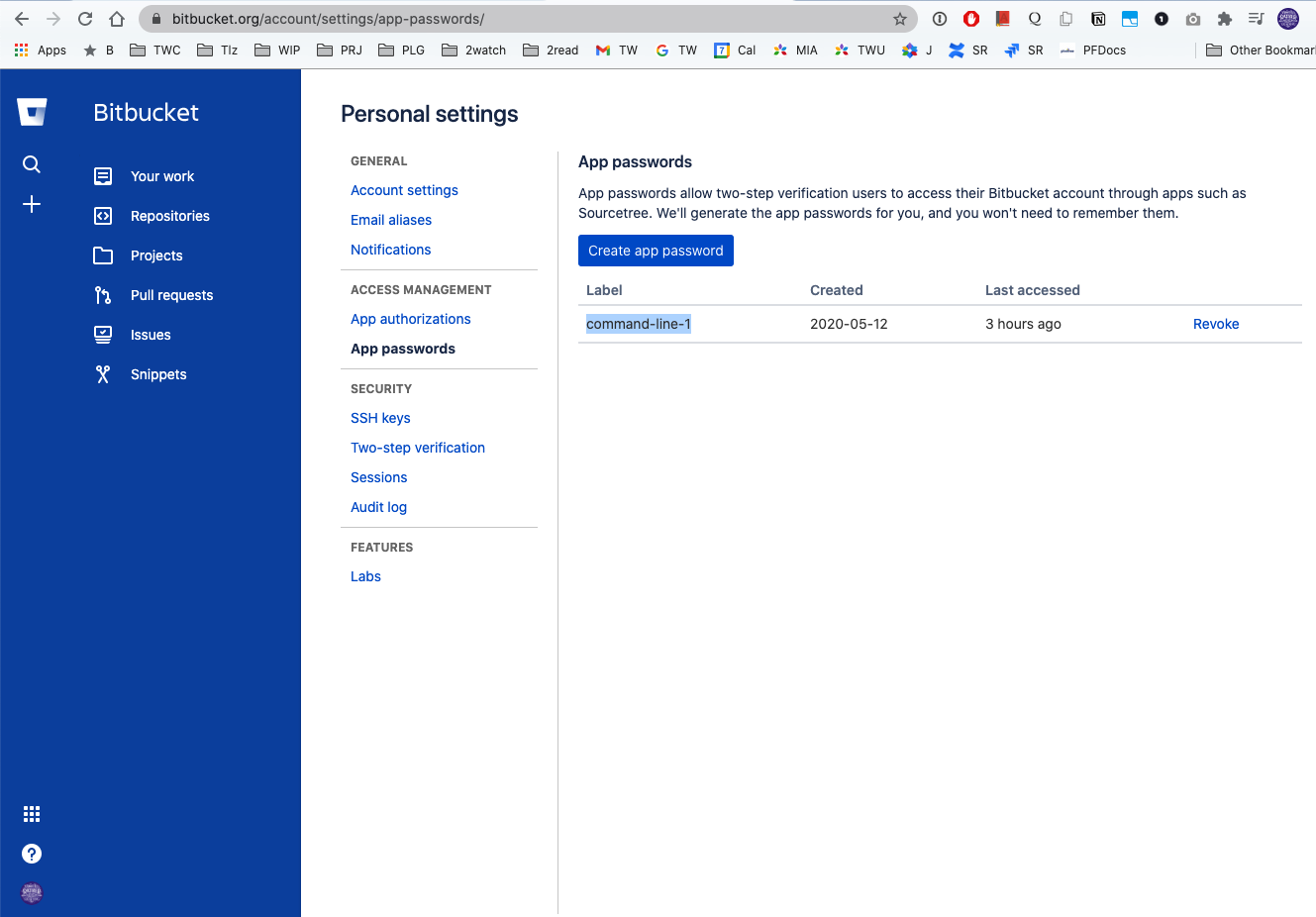
The variable BB contains the Bitbucket API URL
export BBUSER=<your-user-name>
export BBPASSWORD=<your-user-token>
export BB='https://api.bitbucket.org/2.0'
I am using a personal shortcut by creating the file ~/.ssh/bitbucket-token-work.secret with the contents described above and importing them, unless the variables are already defined:
if [ -z "$BBUSER" ] || [ -z "$BBPASSWORD" ] ; then
  echo Using locally defined credentials from ~/.ssh/bitbucket-token-work.secret
. ~/.ssh/bitbucket-token-work.secret
fi
Getting list of organizations #
With the configuration done above, you can run this command:
curl -s -u "$BBUSER:$BBPASSWORD" "${BB}/teams?role=member" | jq '.values[].username' | sed 's/"//g'
---
thinkwrap
tenzingcom
pivotree_h3
The output is a list of all organizations for the currently authenticated user.
The full script - ./bb-teams.sh
if [ -z "$BBUSER" ] || [ -z "$BBPASSWORD" ] ; then
  echo Using locally defined credentials from ~/.ssh/bitbucket-token-work.secret
. ~/.ssh/bitbucket-token-work.secret
fi

if [ -z "$BBTEAMS" ] ; then
curl -s -u "$BBUSER:$BBPASSWORD" "${BB}/teams?role=member" \
    | jq '.values[].username' | sed 's/"//g'
else
  echo "$BBTEAMS"
fi
The output is a list of all team for the currently authenticataed user.
Example:
✗ ./bb-teams.sh
thinkwrap
tenzingcom
pivotree_h3
Getting list of users for an organization #
With the configuration done above, you can run this command:
curl -s --user $BBUSER:$BBPASSWORD "${BB}/teams/${org}/members" | jq '.values[].display_name'
---
"Axxxxx Chxxxx"
"Dxx Axx Oxxx"
"Axxxx Kxx"
"Axxxx Ixxxx Esxxxx"
"Axxx Rxxx Exxxx"
...
The number of users can be large so we need to handle paging, using request parameters (the $org variable is name of the team):
ENTRIES=$(curl -s --user $BBUSER:$BBPASSWORD "${BB}/teams/${org}/members?limit=100" | jq .size)
PAGELEN=$(curl -s --user $BBUSER:$BBPASSWORD "${BB}/teams/${org}/members?limit=100" | jq .pagelen)
PAGES=$(expr $ENTRIES / $PAGELEN "+" 1)
---
echo $org $ENTRIES $PAGELEN $PAGES
thinkwrap 120 50 3
The JSON returned by /teams/$org/members contains 3 entries - pagelen, size and an array of records:
curl -s --user $BBUSER:$BBPASSWORD "${BB}/teams/${org}/members?limit=100" | jq . | head
{
  "pagelen": 50,
  "size": 120,
  "values": [
    {
      "display_name": "Axxx Chxxxx",
      "has_2fa_enabled": null,
      "links": {
        "hooks": {
          "href": "https://api.bitbucket.org/2.0/users/%7Bd6383ed0-xxxxxx-bb56d6a%7D/hooks"
We will run the requests inside a loop to store each result in a temporary file, and then concatenate them:
if [ -z "$BBUSER" ] || [ -z "$BBPASSWORD" ] ; then
  echo Using locally defined credentials from ~/.ssh/bitbucket-token-work.secret
. ~/.ssh/bitbucket-token-work.secret
fi

for org in $(./bb-teams.sh ); do
  ENTRIES=$(curl -s --user $BBUSER:$BBPASSWORD "${BB}/teams/${org}/members?limit=100" | jq .size)
  PAGELEN=$(curl -s --user $BBUSER:$BBPASSWORD "${BB}/teams/${org}/members?limit=100" | jq .pagelen)
  PAGES=$(expr $ENTRIES / $PAGELEN "+" 1)

  rm $org-members-*.json
  for i in $(seq 1 $PAGES)
    do
        curl -s --user $BBUSER:$BBPASSWORD "${BB}/teams/${org}/members?pagelen=${PAGELEN}&page=${i}" | jq '.values[].display_name' | tee $org-members-${i}.json
    done

  rm ${org}.users
  cat $org-members-*.json  >> ${org}.users

  rm $org-members-*.json
done
This script creates multiple output files ${org}.users - e.g. thinkwrap.users containing the users in each group.
Retrieving repositories for an organization #
With the configuration done above, you can run this command:
curl -s --user $BBUSER:$BBPASSWORD ${BB}/repositories/${username}where username is name of the organization or name of the user that owns the repositories.
As with users, the JSON response contains 3 keys: size, pagelen and an array of values. These need to be retrieved first and used in consequent calls:
# Produce list of the repositories in format slug=REPO
# echo curl -s -u $CREDS "${BB}/${TEAM}?pagelen=${PAGELEN}"
ENTRIES=$(curl -s --user $BBUSER:$BBPASSWORD ${BB}/repositories/${username} | jq .size)
PAGELEN=$(curl -s --user $BBUSER:$BBPASSWORD ${BB}/repositories/${username} | jq .pagelen)
PAGES=$(expr $ENTRIES / $PAGELEN "+" 1)

echo The TEAM $username has $ENTRIES repos

for i in $(seq 1 $PAGES)
    do
        curl -s --user $BBUSER:$BBPASSWORD ${BB}/repositories/${username}\?page\=${i}\&pagelen\=${PAGELEN} > ${username}-REPO-${i}.json
done

for i in $(seq 1 $PAGES)
do
    jq '.values[].links.clone[].href' < ${username}-REPO-${i}.json | grep -v https | sed 's/"//g' > ${username}-${i}.repos
done

# Make sure the file is empty/none - we will append
rm -f ${username}.bb-repos

cat ${username}-*.repos | sort >>${username}.bb-repos

rm ${username}-*.repos

echo See ${username}.bb-repos
The script first produces one temporary file per page containing repository information named ${username}-REPO-${i}.json.
From these files, the second loop extracts only clone links .values[].links.clone[].href for SSH access and stores them in a second temporary file
named ${username}-${i}.repos. These are then concatenated and sorted, and one file per organization (or user) is generated named ${org}.bb-repos.
The script expects 1 argument - the name of the organization or user:
#!/bin/bash
set -e

PROGNAME=$(basename $0)

die() {
    echo "$PROGNAME: $*" >&2
    exit 1
}

usage() {
    if [ "$*" != "" ] ; then
        echo "Error: $*"
    fi

    cat << EOF
Usage: $PROGNAME [OPTION ...] BB-TEAM-OR-USER-NAME
Generate the list of the repositiories for given team or used
Options:
-h, --help             display this usage message and exit
-d, --debug            set debug = true
EOF

    exit 1
}

debug=0
username="undefined"

if [ $# -eq 0 ] ; then
    echo Missing argument: BB user name or team
    usage
fi

while [ $# -gt 0 ] ; do
    case "$1" in
    -h|--help)
        usage
        ;;
    -d|--debug)
        debug=1
        ;;
    -*)
        usage "Unknown option '$1'"
        ;;
    *)
        if [ "$username" = "undefined" ] ; then
            username="$1"
        else
            usage "Too many arguments"
        fi
        ;;
    esac
    shift
done

if [ -z "$BBUSER" ] || [ -z "$BBPASSWORD" ] ; then
. ~/.ssh/bitbucket-token-work.secret
fi

if [ -z "$BBUSER" ] || [ -z "$BBPASSWORD" ] ; then
    echo "You must export variables BBUSER and BBPASSWORD"
    exit 2
fi

export CREDS="$BBUSER:$BBPASSWORD"

# Display info about the user

echo Logged on as user
curl -s -u $CREDS "${BB}/user" \
    | jq '{account_id, uuid, username, display_name, snippets: .links.snippets.href, self: .links.self.href}'


curl -s -u $CREDS "${BB}/teams/${username}" \
    | jq '{ uuid, username, display_name, snippets: .links.snippets.href, self: .links.self.href}' \
    > ${username}-team-info.json

echo Team info - see ${username}-team-info.json

# Produce list of the repositories in format slug=REPO
ENTRIES=$(curl -s --user $BBUSER:$BBPASSWORD ${BB}/repositories/${username} | jq .size)
PAGELEN=$(curl -s --user $BBUSER:$BBPASSWORD ${BB}/repositories/${username} | jq .pagelen)
PAGES=$(expr $ENTRIES / $PAGELEN "+" 1)

echo The TEAM $username has $ENTRIES repos

for i in $(seq 1 $PAGES)
    do
        curl -s --user $BBUSER:$BBPASSWORD ${BB}/repositories/${username}\?page\=${i}\&pagelen\=${PAGELEN} > ${username}-REPO-${i}.json
done

for i in $(seq 1 $PAGES)
do
    jq '.values[].links.clone[].href' < ${username}-REPO-${i}.json | grep -v https | sed 's/"//g' > ${username}-${i}.repos
done

rm -f ${username}-REPO-*.json

# Make sure the file is empty/none - we will append
rm -f ${username}.bb-repos

cat ${username}-*.repos >>${username}.bb-repos

rm ${username}-*.repos

echo See ${username}.bb-repos
It also generates the ${org}-team-info.json file with basic information about the team:
{
  "uuid": "{c4xxxxxxxxxxx10d612}",
  "username": "thinkwrap",
  "display_name": "Pivotree",
  "snippets": "https://api.bitbucket.org/2.0/snippets/%7Bc4xxxxxxxxxx10d612%7D",
  "self": "https://api.bitbucket.org/2.0/teams/%7Bc4xxxxxxxxxxx10d612%7D"
}
Example of the run:
➜ ./bb-repos-info-json.sh pivotree_h3
Logged on as user
{
  "account_id": "557058:xxxxxxxxx-e6ce68c69dda",
  "uuid": "{d8-xxxxxxx-08}",
  "username": "<username>",
  "display_name": "Miro Adamy",
  "snippets": "https://api.bitbucket.org/2.0/snippets/%7Bd8-xxxxxxx-08%7D",
  "self": "https://api.bitbucket.org/2.0/users/%7Bd8-xxxxxxx-08%7D"
}
Team info
See pivotree_h3-team-info.json
The TEAM pivotree_h3 has 152 repos in 16 pages
See pivotree_h3.bb-repos
Automation #
The script ./bb-repo-links.sh generates the information for all organizations:
if [ -z "$BBUSER" ] || [ -z "$BBPASSWORD" ] ; then
  echo Using locally defined credentials from ~/.ssh/bitbucket-token-work.secret
. ~/.ssh/bitbucket-token-work.secret
fi

for org in $(./bb-teams.sh ); do
    ./bb-repos-info-json.sh $org
done
NOTE
This was also published on our team blog post